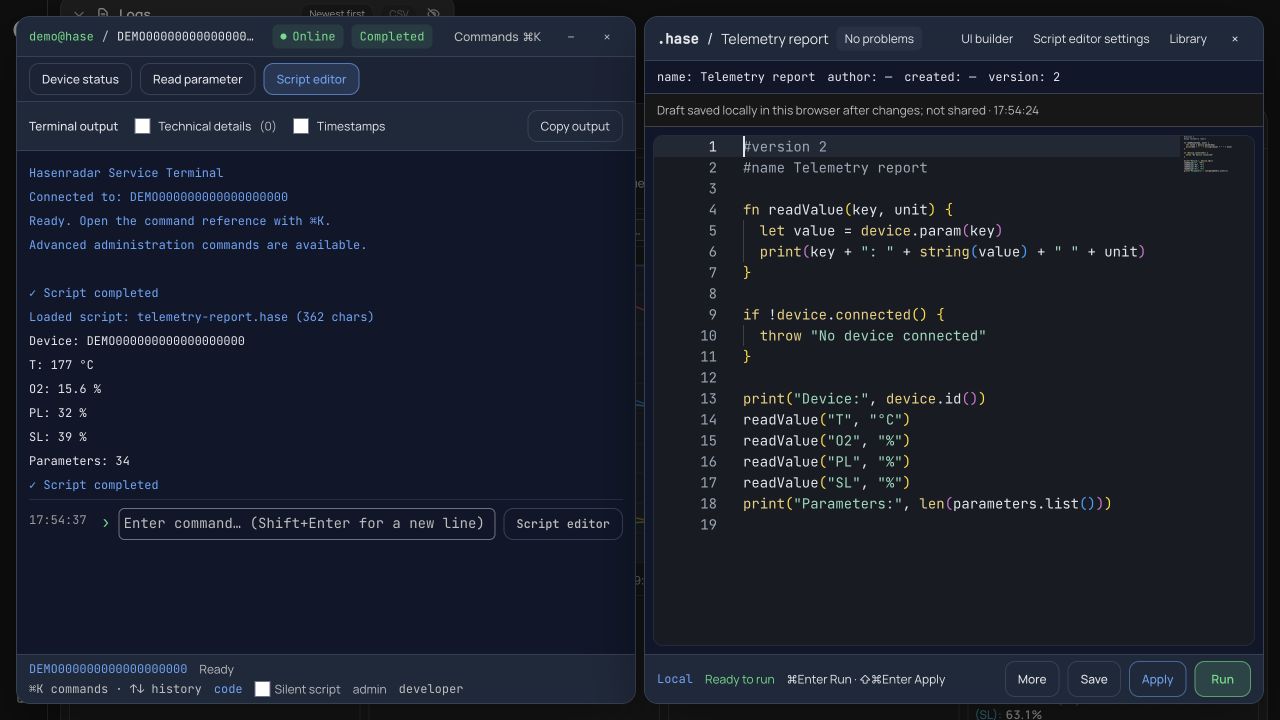
Hasenradar is a web app for monitoring and diagnosing HASE stoves. Service technicians use it to look at telemetry, charts and error codes, and for everything they have to do again and again, the app has a terminal with its own scripting language: .hase. This is why it was needed, what went wrong in the first version and how the second one works.
Why a separate language
Many of a technician's tasks consist of the same steps: connect to a stove, read a parameter, wait for the right temperature, put together a report across several devices, fix a record in the database. Doing that by hand is slow, and by the tenth time a mistake is easy to make.
JavaScript was not an option. Code running directly inside the app would have access to everything: the user's session, the database, the data of other devices. The app needed a language that contains only permitted actions and shows everything that changes data before the script runs.
The first version: terminal commands
The first version grew out of the terminal commands. Values were stored as text, variables were written with $, and arithmetic needed a separate calc command. This example from the documentation reads the temperature and, if it is above a threshold, writes a new parameter value:
get T as temp
if $temp > 400 {
  set PL 80
}
For short actions that was enough. But the scripts grew longer, and so did the number of errors nobody could see.
What went wrong
In August 2026 I went through the first version and found bugs that had one thing in common: the language got things wrong without saying so.
- The terminal, the editor and the editor's code check each parsed a script in their own way. They disagreed about where a string ends and what counts as a number, and every disagreement produced a wrong result without an error message.
- A single
=in a condition, such asif $a = 5 { }, sent the parser into an infinite loop and froze the browser tab. - In JavaScript,
Number('')is 0. So with a typo in a variable name, the conditionif $typo < 100 { set ... }was true, and the write went to the stove. - Quotes were removed before the value was recognised, so
if $state == "connected"compared against the connection flag instead of the string. - The confirmation dialog for dangerous commands only looked at the top level of a script, so a delete inside an
ifwent through without confirmation. - Long controller IDs passed through
Number()and went back into the database as1.0000283e+21. - After one press of Stop, every following loop stopped immediately until the page was reloaded. A script always ended with "Script completed", even if it had failed on line three. And
setreported success as soon as the write was queued, not when the database had actually saved it.
The fix started with the most important part: the language got a single parser, shared by the terminal, the editor and the check, with tests for it. Syntax errors now name the problem and show the line and column. Comparing with an unknown variable is an error, a write waits for the real answer from the database, and Stop removes the commands that have not reached the stove yet from the queue.
The second version
The second version of the language arrived at the end of September. A script switches to it with the line #version 2, and older scripts without that line work as before.
#version 2
fn classify(t, limit) {
  if t == null { return "unknown" }
  if t >= limit { return "warm" }
  return "cool"
}
let readings = [80, 120, null]
for value in readings {
  print(value, classify(value, 100))
}
The syntax is familiar from JavaScript and Python: let, fn, if, for, while, try and catch. The behaviour differs wherever JavaScript makes it easy to go wrong quietly:
- Comparisons do not convert types:
42 == "42"is false. A missing value isnull, not zero, and using a variable that was never declared is an error. - Controller IDs, serial numbers and codes with leading zeros are written as strings. The language rejects integers that cannot be stored exactly.
let copy = originalcopies the data, so changing the copy leaves the original as it was.- A script has no access to browser objects, the network, files, credentials or
eval. It can only call functions from a built-in list: text, lists, JSON and statistics, plus the app's own functions such asdevice.snapshot()anddevice.wait().
How a script runs
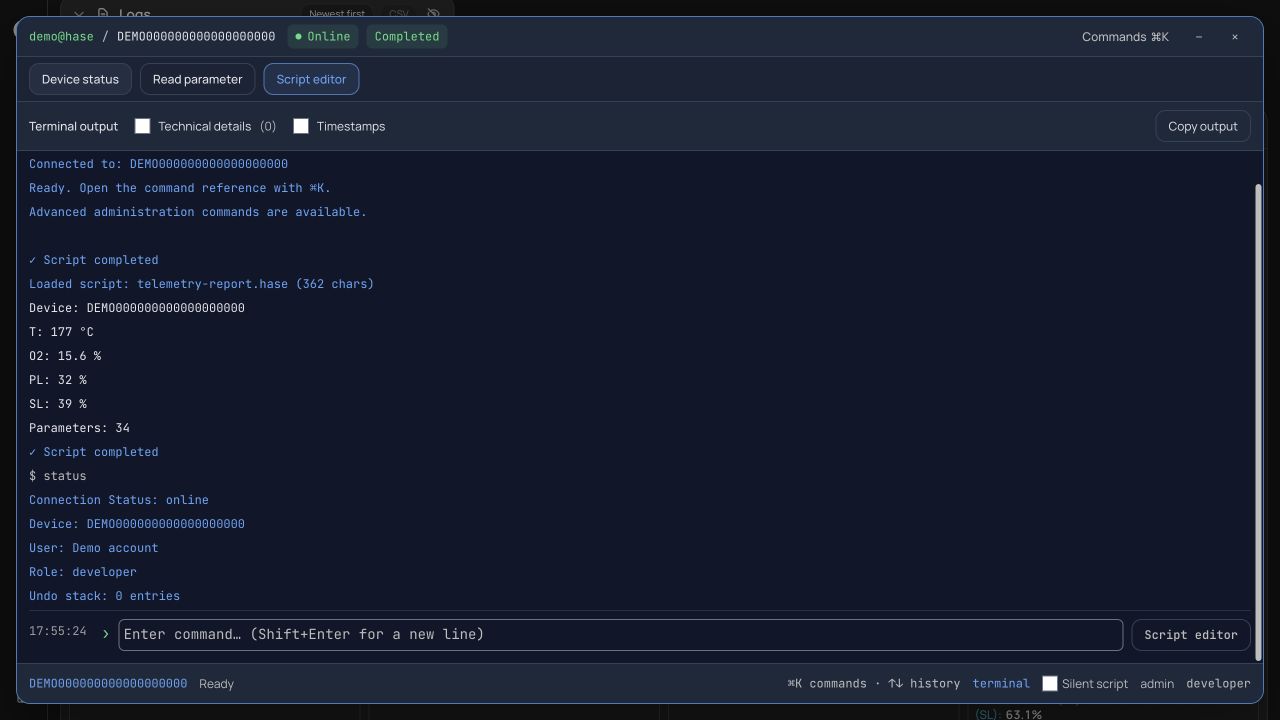
A script is never turned into JavaScript. The text is split into tokens, the tokens are built into a tree, and an interpreter walks that tree node by node. Parsing and running the second version take about a thousand lines of TypeScript.
This gives a kind of control that eval never would:
- Limits. At most 100,000 execution steps, a call depth of 64 and 10,000 items in a collection. An infinite loop ends with an error, not a frozen tab.
- Stopping. The interpreter hands control back to the browser regularly, so Stop takes effect at once. Commands that have not been sent to the stove yet are removed from the queue. A write that has already gone out cannot be undone, and the documentation says so plainly.
- Checks before running. Before execution, the interpreter collects every call in the tree. Writes to a device or to the database are shown for confirmation, even when they sit in an
ifbranch that may never run. - Clear errors. A parse error keeps the script from starting, and a runtime error stops it at the line where it happened. Both give the line and column.
How it is used
A simple example is a report across several stoves. If one stove cannot be read, the error goes into the output and the others carry on:
#version 2
let ids = ["controller-A", "controller-B"]
let rows = [["ID", "T"]]
for id in ids {
  try {
    let data = device.snapshot(id)
    if data != null && type(data.T) == "number" {
      rows = push(rows, [id, data.T])
    }
  } catch error {
    print(id, error)
  }
}
print(csv.stringify(rows))
The largest scripts repair the burn history of all stoves at once. They run to several hundred lines, and the history cleanup script starts with a preview mode and a check that the right database is selected:
#version 2
const DRY_RUN = true    # look first, change nothing
const BATCH_SIZE = 25
const EXPECTED_DATABASE = "…"
assert(firebase.url() == EXPECTED_DATABASE, "STOPP: Falsche Datenbank ausgewählt!")
There are many stoves and the step limit applies to a single run, so these checks run in batches. The script processes 25 devices, downloads the result as JSON and schedules the next batch with script.nextBatch(). Each batch starts over with fresh variables, and only the state that is passed on explicitly carries over from one batch to the next.
Windows from scripts
A script can open a real Hasenradar window. This widget shows the current error codes of the connected stove and updates by itself, without a loop or a timer:
#version 2
#name Fehler
ui.widget({
  title: "Fehler",
  width: 200,
  height: 96,
  items: [{type: "errors"}]
})
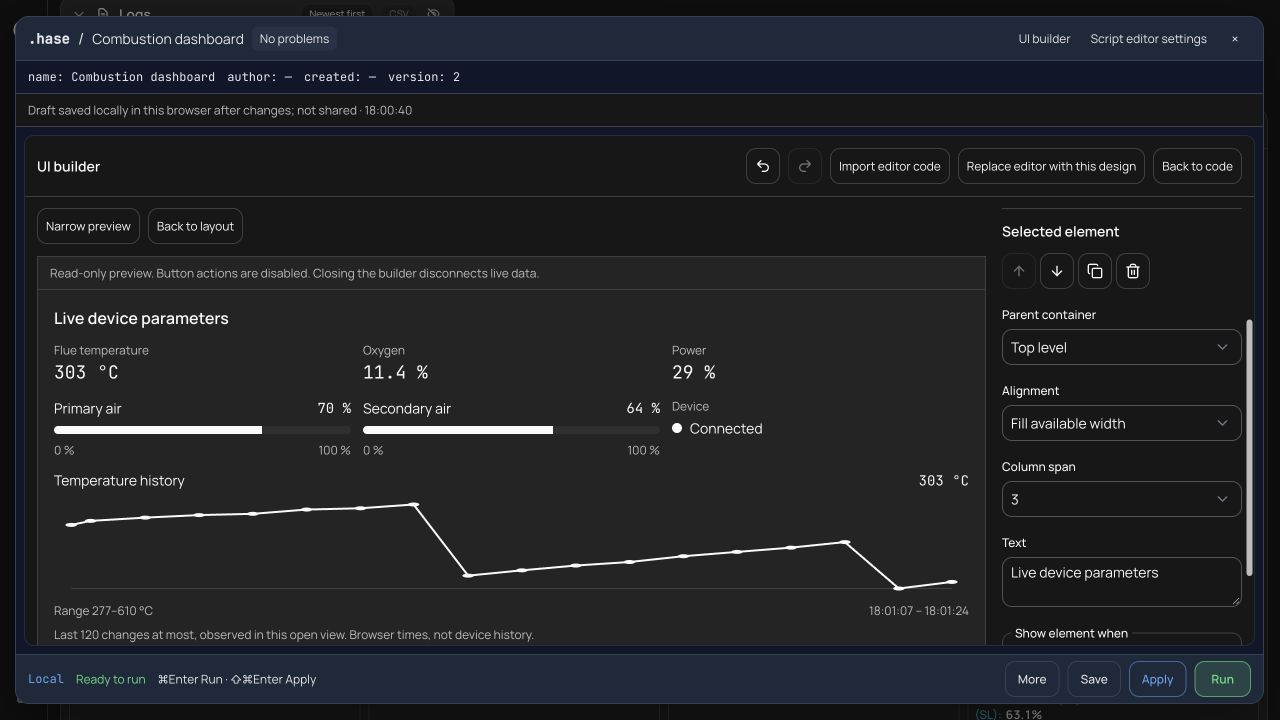
Buttons in these windows need no callbacks: ui.wait() waits for a click and returns it as an ordinary value, and the script decides what happens next in an ordinary loop. A script can be saved as a terminal command of its own and started when the app opens. For people who would rather not write code, there is a visual builder that generates the code for them.
The editor and the assistant
Scripts are written in Monaco, the editor VS Code is built on: highlighting, autocomplete, hints on hover and errors right in the text. A script can be saved in the browser or in the team's shared library.
The second version also brought an assistant based on Gemini into the editor. It writes, edits and explains scripts from a description in plain language. Before sending anything, it shows the full request and hides known sensitive data, and it checks the code it suggests for syntax errors and unknown functions. In October the assistant was switched off to stop the cost of generation.
What I took away from it
- A language needs one parser. As soon as the terminal and the editor understand code differently, bugs become invisible.
- An error should be loud: with a message, a line and a column. A script that silently takes the
elsebranch is more dangerous than one that fails. - Everything that changes data or hardware should be visible before the script runs.
- A new version of a language must not break old scripts. The
#version 2line made it possible to change the behaviour without touching what already worked.