Snapshot any window in one click
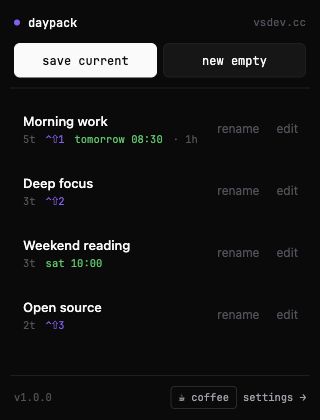
Click Save current — Daypack snapshots every tab in this Chrome window (pinned state and tab groups preserved). Or start a blank session and paste URLs in by hand.
daypack · tab session saver
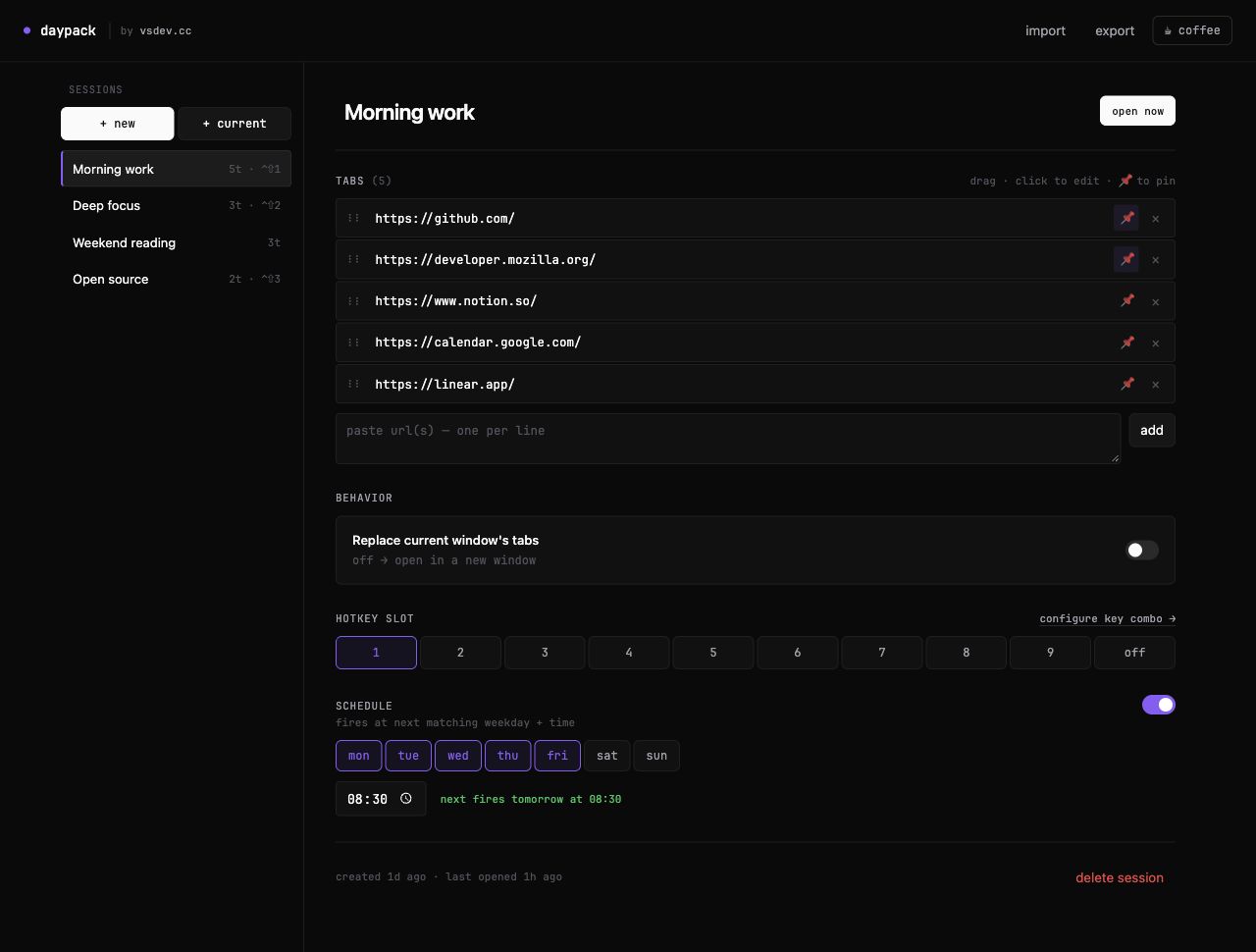
Save any set of tabs as a named session. Bring it back instantly when you sit down at the desk — or let it open itself when the workday starts.
tab groups + pinned preserved · import / export JSON
one-click save · hotkeys · schedules · no account
Click Save current — Daypack snapshots every tab in this Chrome window (pinned state and tab groups preserved). Or start a blank session and paste URLs in by hand.
Bind a session to slot 1–9. Press Ctrl+Shift+1 from anywhere in Chrome and the saved tabs appear — in a new window or replacing the current one.
Pick weekdays + a time. Mon–Fri 09:00 opens your work set when you sit down. The schedule fires once at the next matching minute and re-arms itself.
How is this different from OneTab or Session Buddy?
OneTab consolidates open tabs into a list to free RAM. Daypack saves named sessions you actually plan to return to — and triggers them via hotkey or schedule, not just a list view. Closer to Workona / Toby workspaces, free and without an account.
Does it send anything to a server?
No. Sessions live in chrome.storage.sync, which follows your Chrome profile across machines automatically. No analytics, no remote config, no account required.
Can I import / export my sessions?
Yes. The settings page has Import and Export buttons — sessions serialize to a plain JSON file. Move them between profiles, back them up, or share a set with a teammate.
Will it stay free?
Yes. Daypack is a free side-project. A vsdev Pro tier may add cross-account sync later, but the local-only experience stays free forever.
stop reopening tabs
No account, no tracking, no nag screens. The coffee link in the popup is the only ask — and it’s optional.